
What is Market Closing Time on ug900?
Market closing time is the moment when we stop accepting new wagers or entries on a specific game, match, or event. On ug900, this applies to football fixtures (Liga 1, Piala AFF, Champions League), live-dealer tables, and esports tournaments. When a market closes, your app will no longer let you place a new bet or join a new round.
We set closing times based on when the underlying event starts. For a Liga 1 kickoff at 19:30, we typically close the market minutes before game time so our platform has time to process final wagers and update odds. On live-dealer tables, closing happens when the dealer signals "no more bets" — usually just before cards are dealt or the wheel spins.
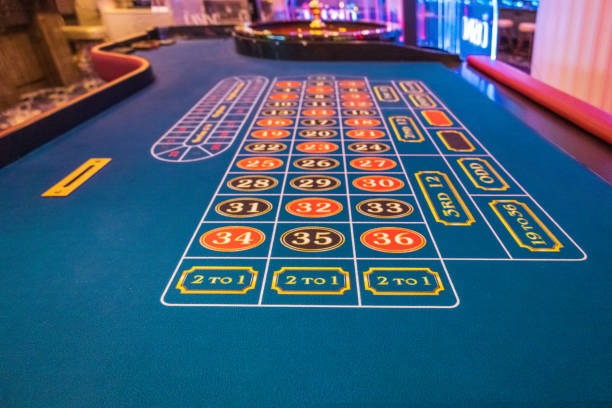
Mobile Closure Notifications
Our Android and iOS apps send push notifications when a market is about to close. You can tune these alerts in your account settings so you're never caught off guard. We also display a red countdown timer on the event card itself, so you see how many minutes remain before wagers lock.
If you're logged in on your phone but not actively viewing the market, our notification will prompt you to act. Once the market closes, any attempted wager is automatically rejected.
How Closing Times Vary Across ug900 Markets
Different event types on ug900 have different closure windows. Understanding these patterns helps you time your plays better, especially on mobile where you might be switching between apps or checking your DANA balance.
Football and Liga 1
For Liga 1 and other football markets, we close roughly subject to verification before kickoff. This buffer gives our servers time to finalize odds and settle any last-minute wagers. If you're in Medan or another city and want to place a Liga 1 wager, check the countdown timer — if it shows less than subject to verification, the market may close before your bet is processed.
Live-Dealer Tables
On live blackjack, roulette, baccarat, and Dragon Tiger tables, closing happens round-by-round. Once the dealer announces "no more bets" (you'll see a visual cue on your mobile screen), the market for that hand closes immediately. New rounds typically open a few seconds after the previous hand resolves, giving you a quick window to join the next shoe.
Slot Tournaments and Esports
Esports markets (Mobile Legends, Free Fire, PUBG Mobile) close once the match starts. Slot tournaments may have fixed entry windows — for example, a tournament might accept entries only until 18:00, then begin auto-play at 18:05. We display these windows clearly in your app.
We enforce strict closure times to protect both our platform and your wagers. Once a market closes, we don't accept late entries, ensuring fair play for all active players on ug900.
What Happens When You Wager Near Closing
If you submit a wager very close to market closure, your app will either accept it (if it arrives before the deadline) or reject it with a "market closed" message. We process wagers in milliseconds, so the exact moment you tap "confirm" matters. Network latency on your mobile connection can also play a role — if you're on a slower 4G connection versus WiFi, your submission might arrive slightly later.
- Accepted Wager
- Your bet reaches our server before closure and is locked at the displayed odds. You receive a confirmation receipt in your app.
- Rejected Wager
- Submitted after closure; your app shows an error and no funds are deducted. Try the next market or round.
- Pending Wager
- On rare occasions, a wager is received but not yet confirmed due to network delay. Your app will show a "processing" status; refresh to see the final outcome.
Managing Your ug900 Session During Closing Windows
Smart session planning on ug900 means checking the market schedule before you dive in. If you're playing from Jakarta using e-wallet or mobile banking, take a moment to review upcoming closures so you're not rushed.
Mobile app tips for managing closures:
- Enable push notifications for market closures so your phone alerts you to closing times.
- Check your account balance and payment method (local payment, online payment, e-wallet, etc.) before the market closes, not after — you won't be able to add funds mid-round on most live tables.
- If you're near a market closure and want to place a wager, ensure your phone has a strong signal. WiFi is generally more stable than mobile data for time-sensitive transactions.
- On live-dealer tables, watch the dealer's hand signals and countdown timer; don't place bets after "no more bets" is called.
- For Piala AFF or Liga 1 markets, close the app mobile bankingefly and reopen it to refresh the countdown if you suspect a display lag.
Understanding market closing helps you make better use of your ug900 session. You'll know when to act decisively and when to wait for the next opportunity.
Closure Alerts and Reminders
We send reminders when markets are about to close. On your Android device or iOS browser, you can customize which alerts you receive. Visit Account Settings → Notifications to choose whether you want alerts for Liga 1 closures, live-dealer table closures, or esports entry windows.
If you're using local payment, online payment, or e-wallet to fund your account, confirm your payment is processed and reflected before a high-value market closes. Pending deposits sometimes take a few minutes to credit.